
FREE WHILE IN TESTING
Plan your whole team on one grid
Drag a bar along the timeline to move someone between projects, and see at a glance who is free and who is over-committed — instead of the Developer Capacity.xlsx your team patches every month.
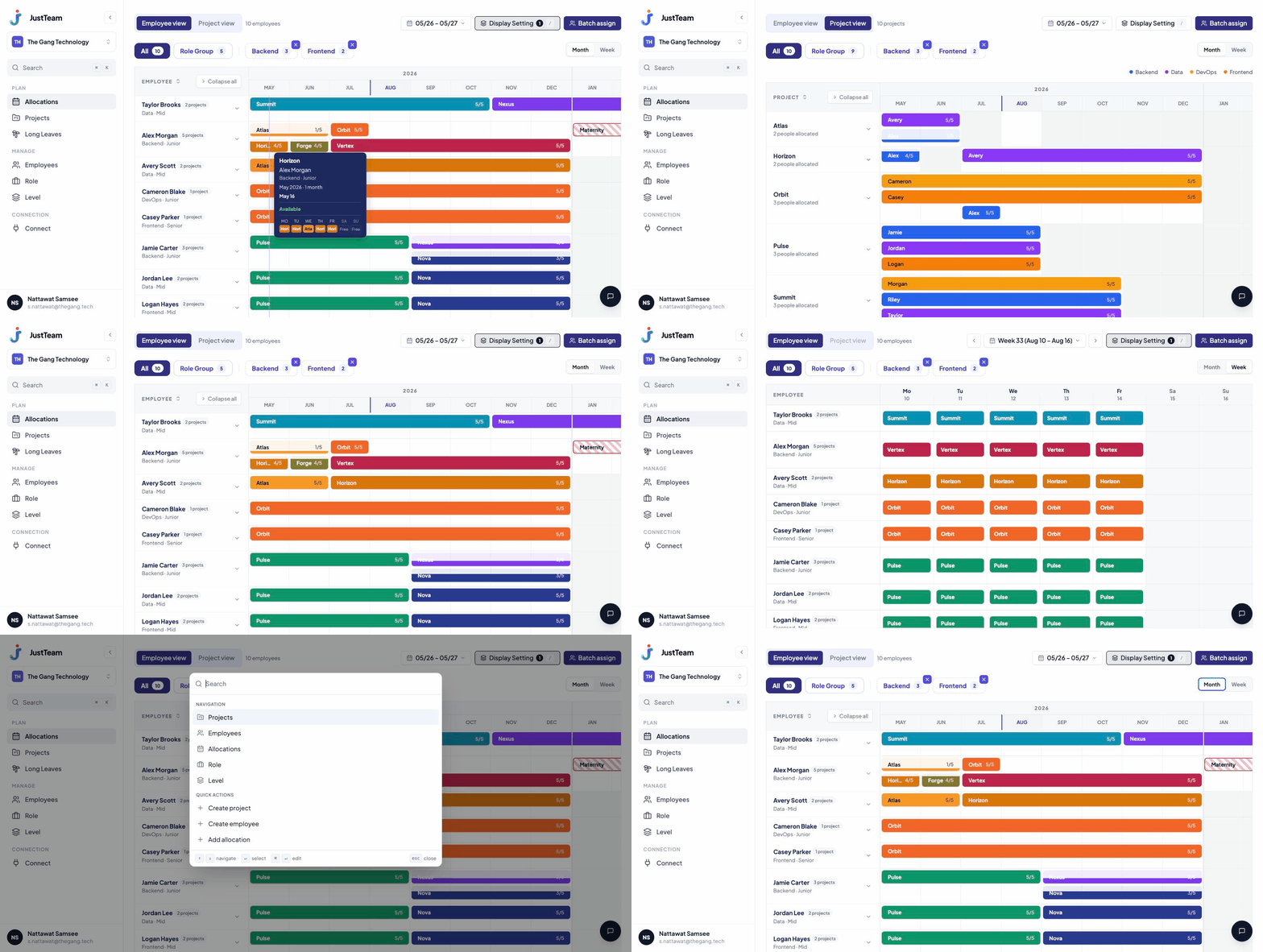
What a spreadsheet can't do for you
01 — ALLOCATION
Move someone by dragging one bar
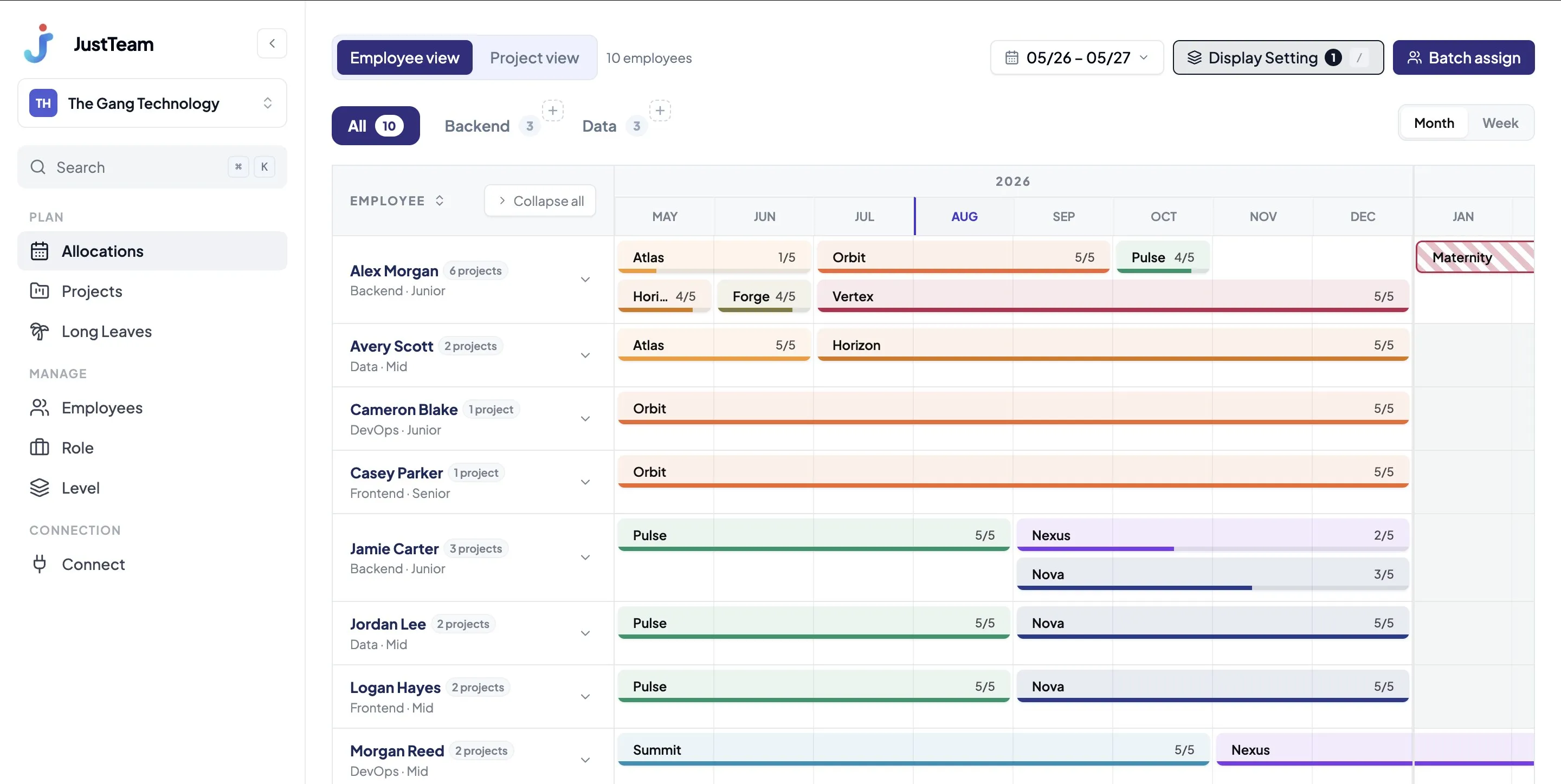
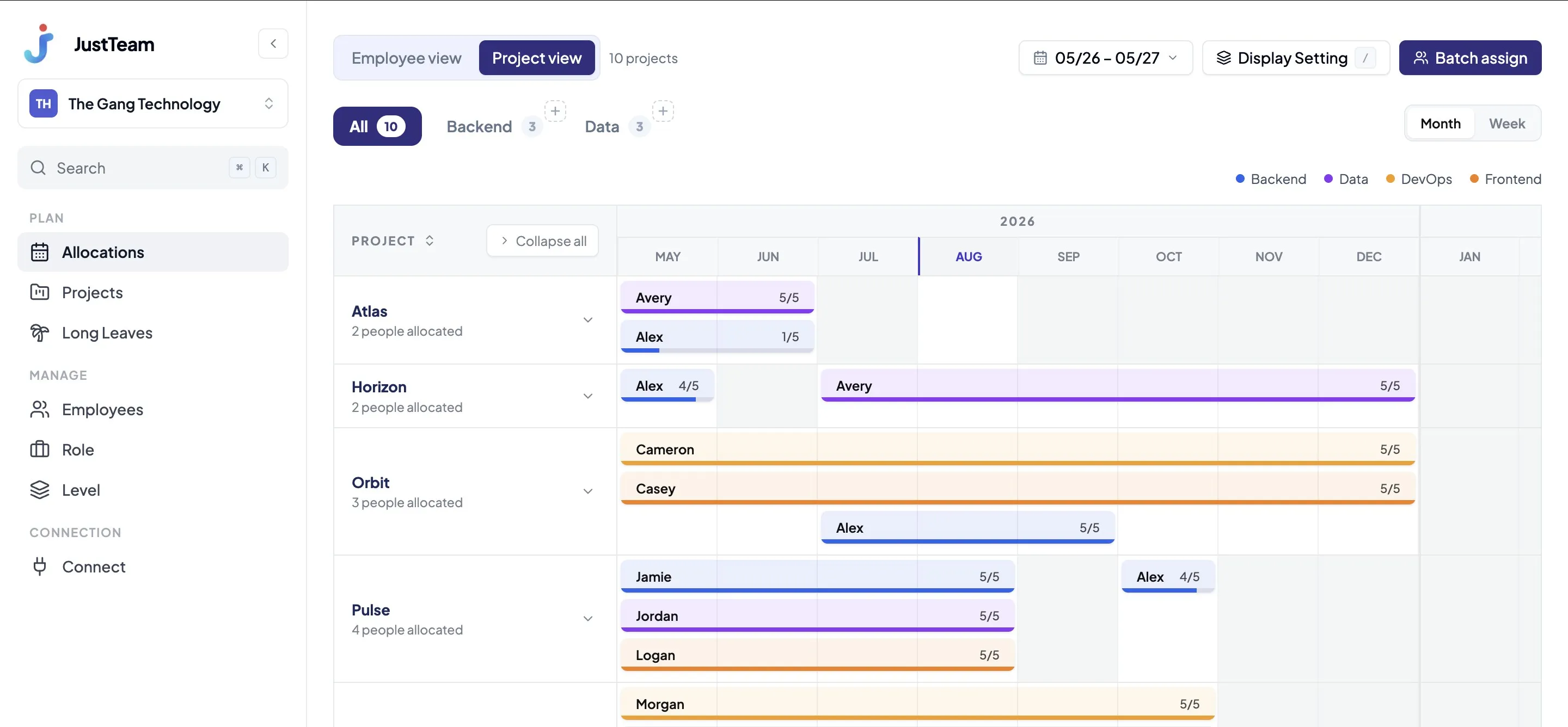
The grid is where the work happens, not a report about it. Drag a bar onto another person's row to reassign it, stretch it to change the dates, and pivot between people and projects in one click.
- Drag and drop to reassign across people
- Pivot between employee and project views
- Assign several people at once
02 — SAVED VIEWS
Your view, nobody else's problem
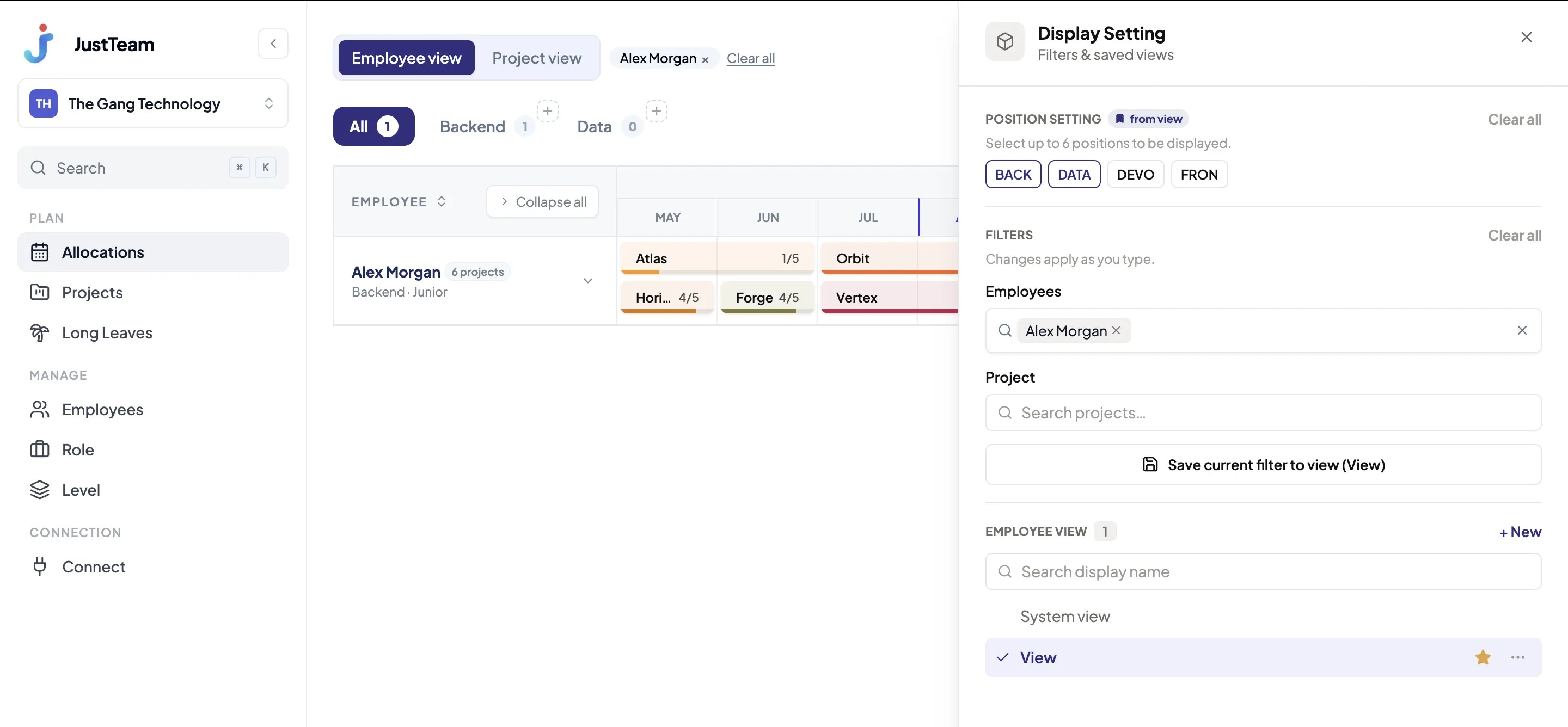
Save the filters, positions and ordering you look at most as your own view. Open it next time without setting anything up again, and without changing what anyone else sees.
- Filter by position
- Reorder your way
- Search saved views
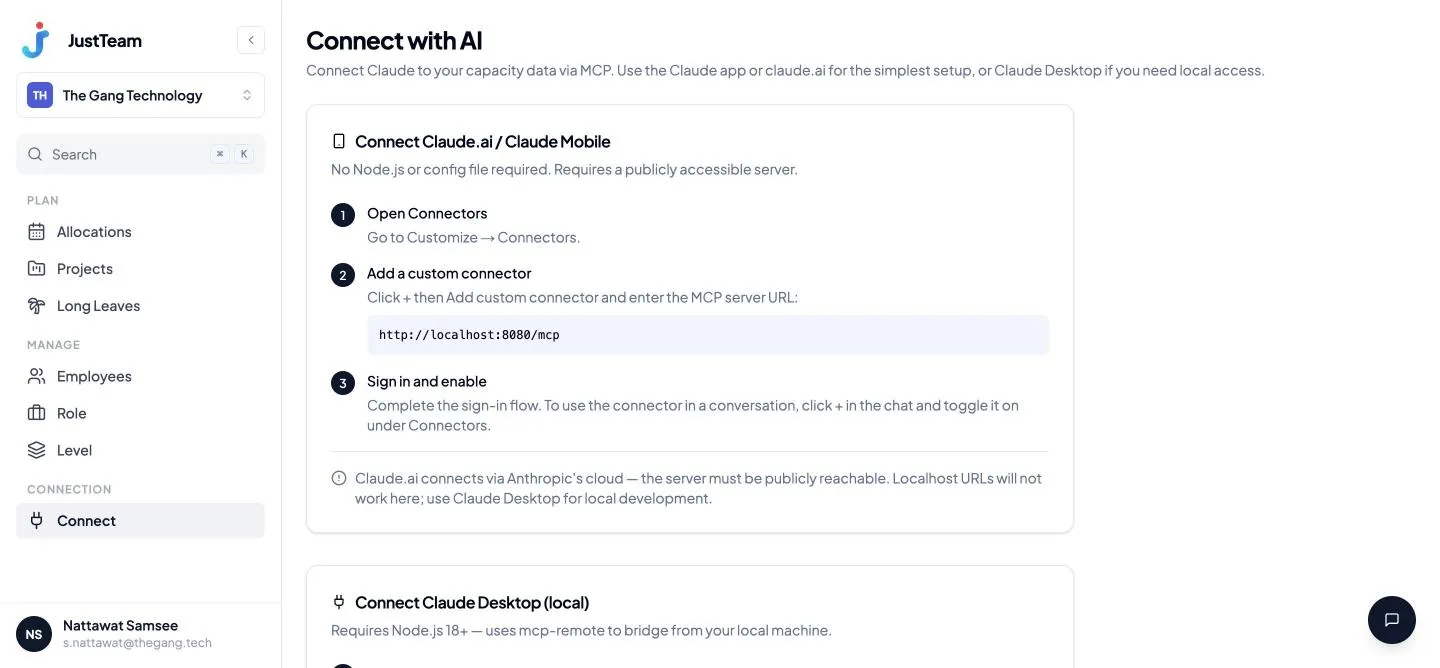
03 — MCP · ASK AI DIRECTLY
Get the answer without opening the grid
Connect JustTeam to Claude over MCP and ask in plain language — who is free in December, which team is over-committed — then create the allocation straight from the answer.
- Any backend devs free in December 2026?
- — 3 found: Pim (60% free), Arm (100%), Nut (40%)
- Put Arm on Orbit at 100% for the month
- — Allocation created
More under the hood
Every image is a real screen from the app
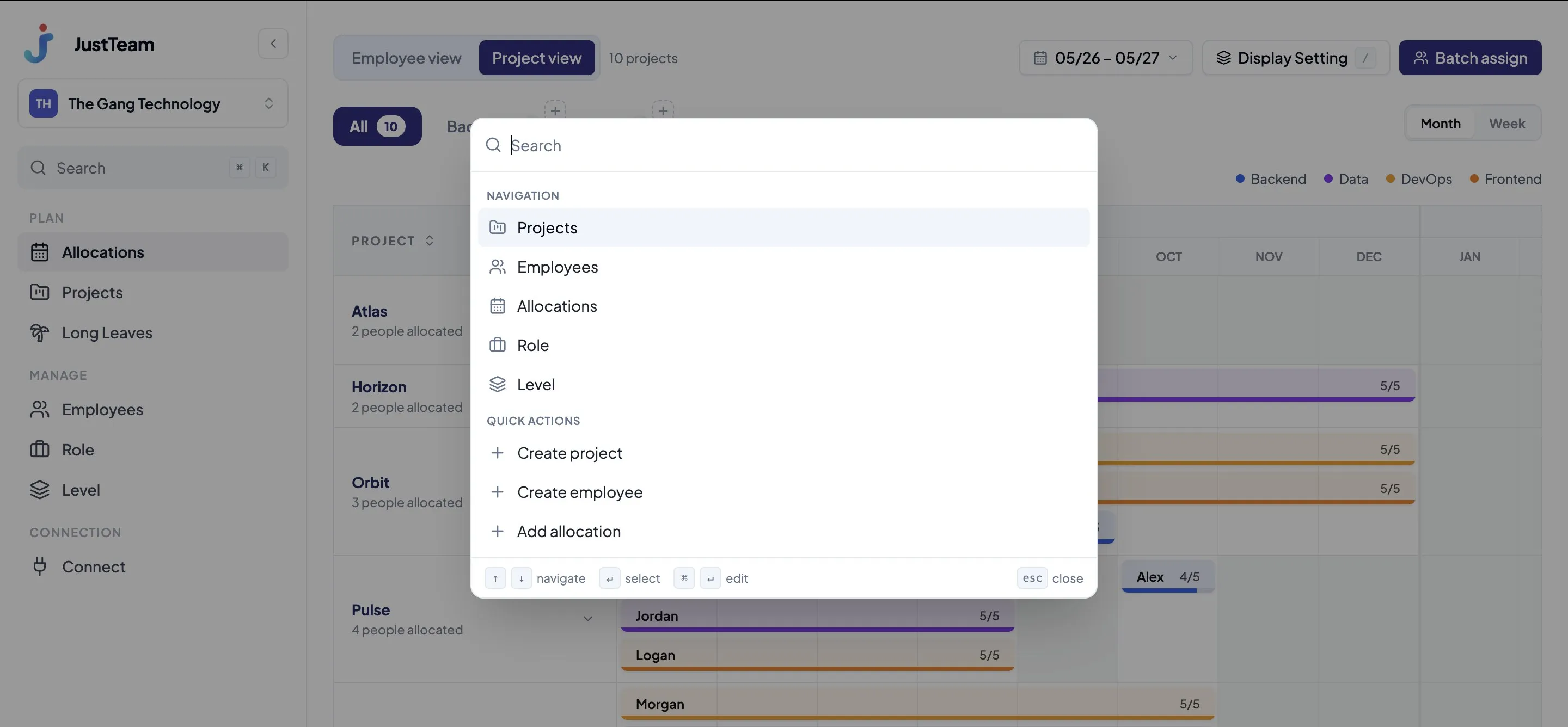
Press ⌘K and type a name
Jump to any person or project without scrolling the grid.
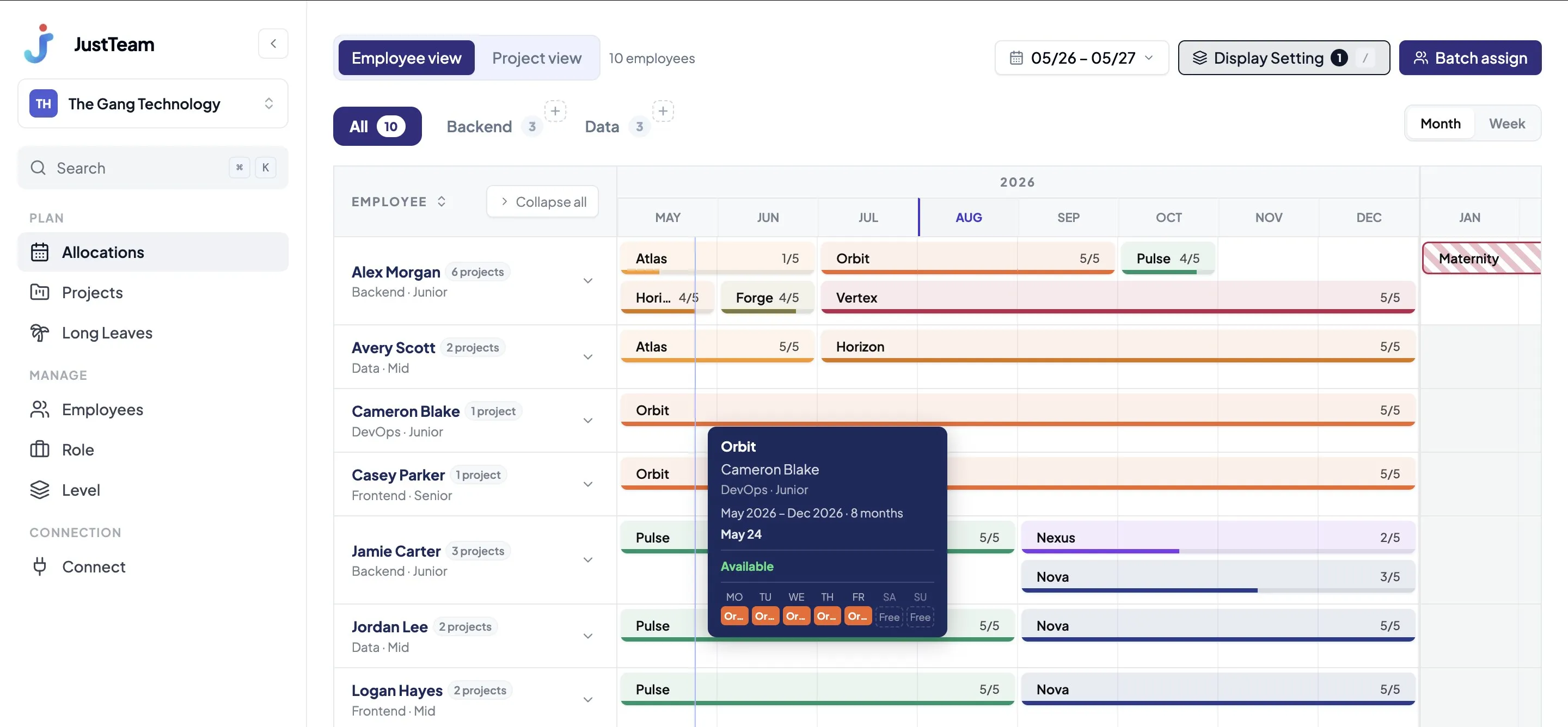
See free days without guessing
Hover any allocation bar for a day-by-day breakdown of what's left.
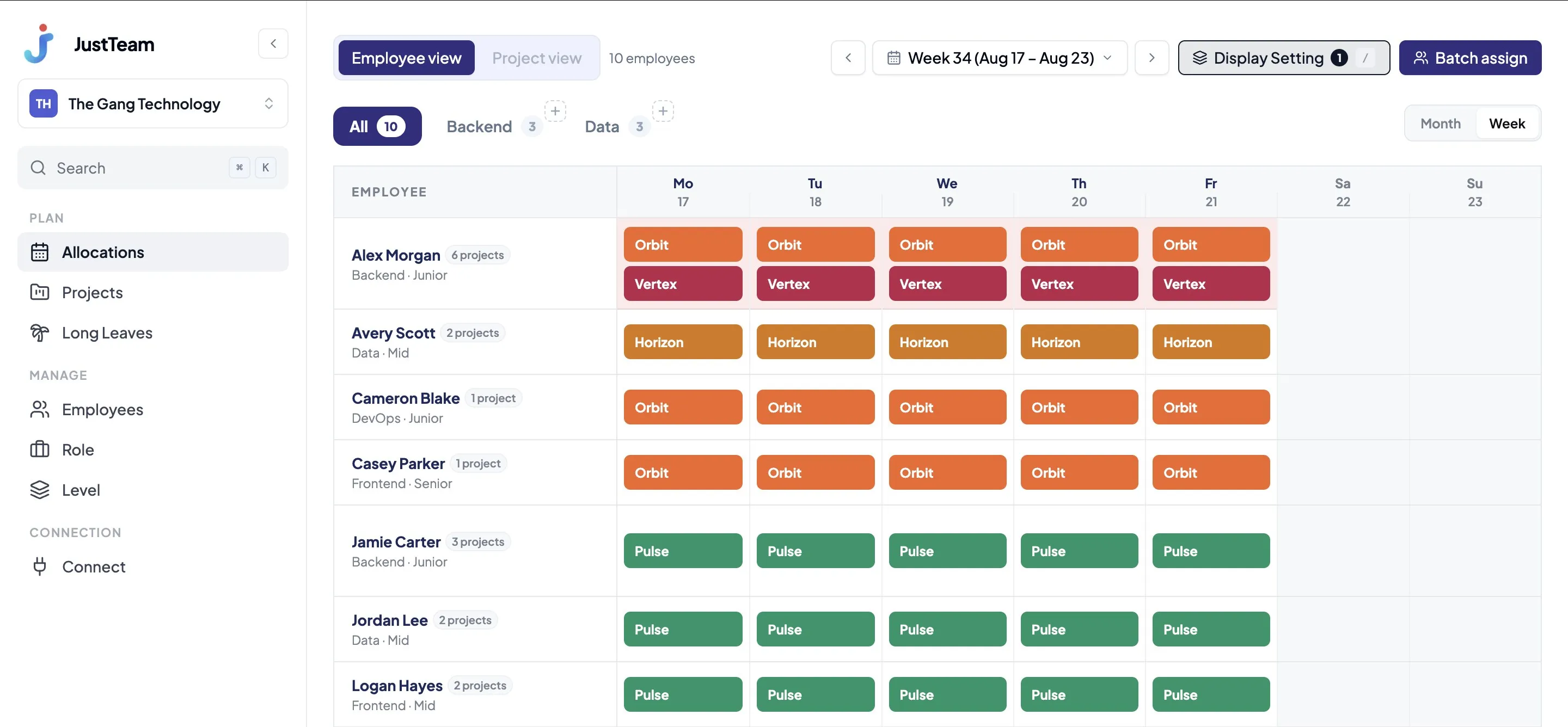
Zoom from a week to a month in one click
Detail while you plan, overview when you report.
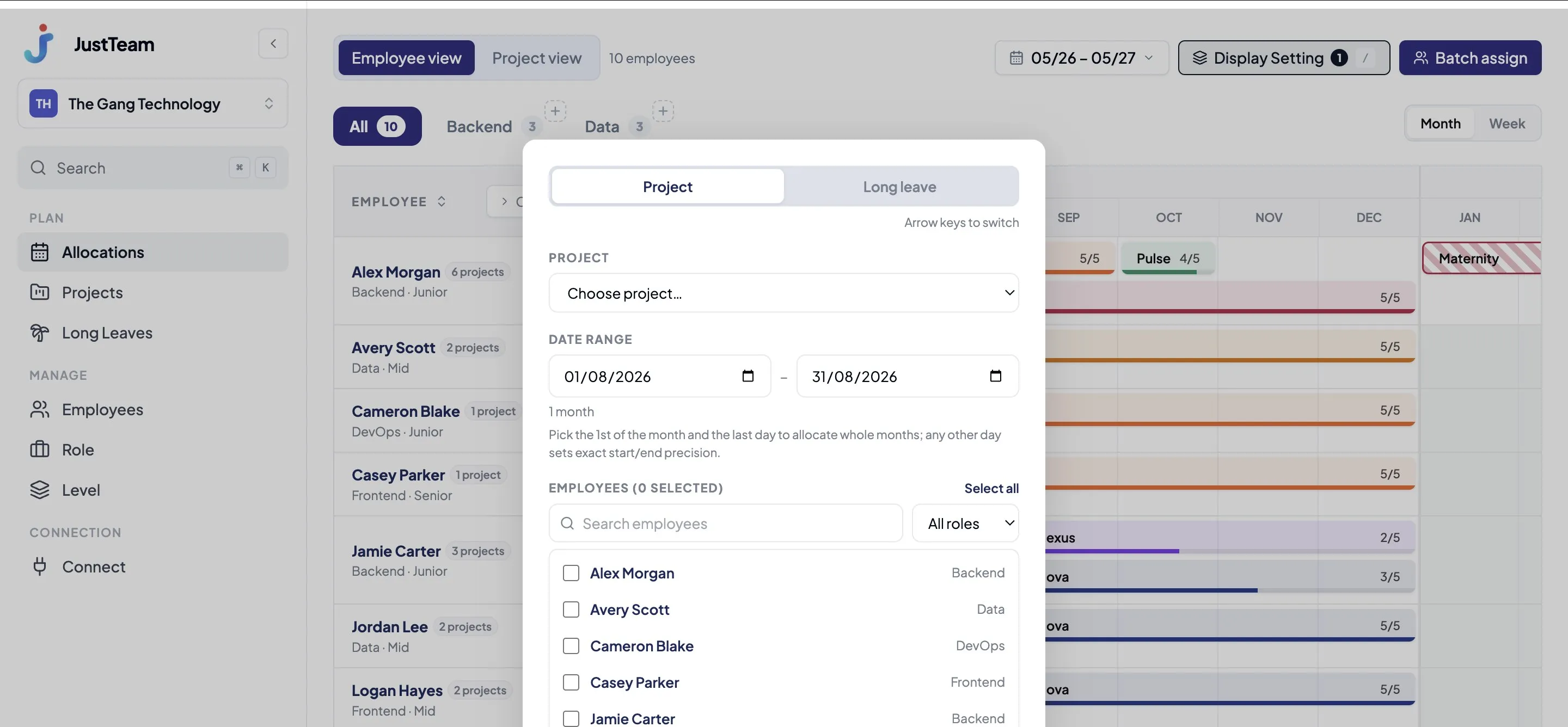
Assign several people at once
Pick a project and a date range, then staff the whole group in one go.
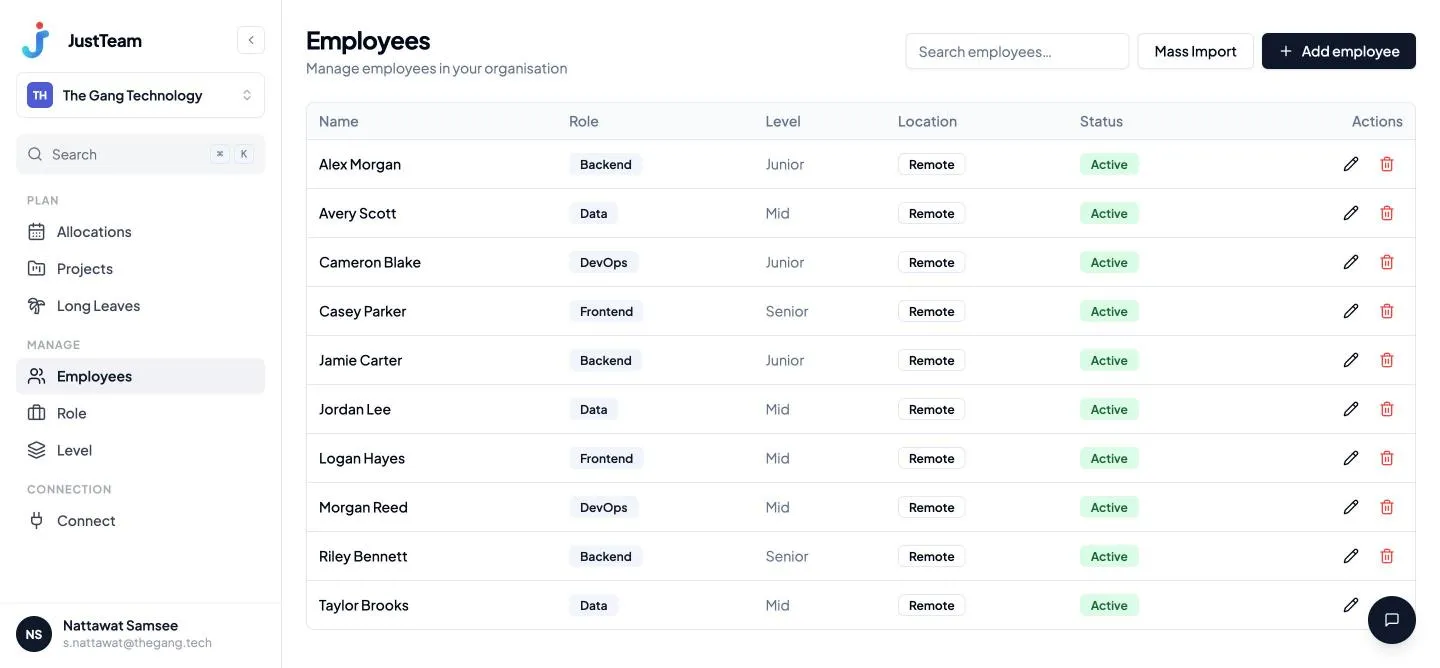
Run the whole roster
People, positions, levels — and an import for the whole list at once.
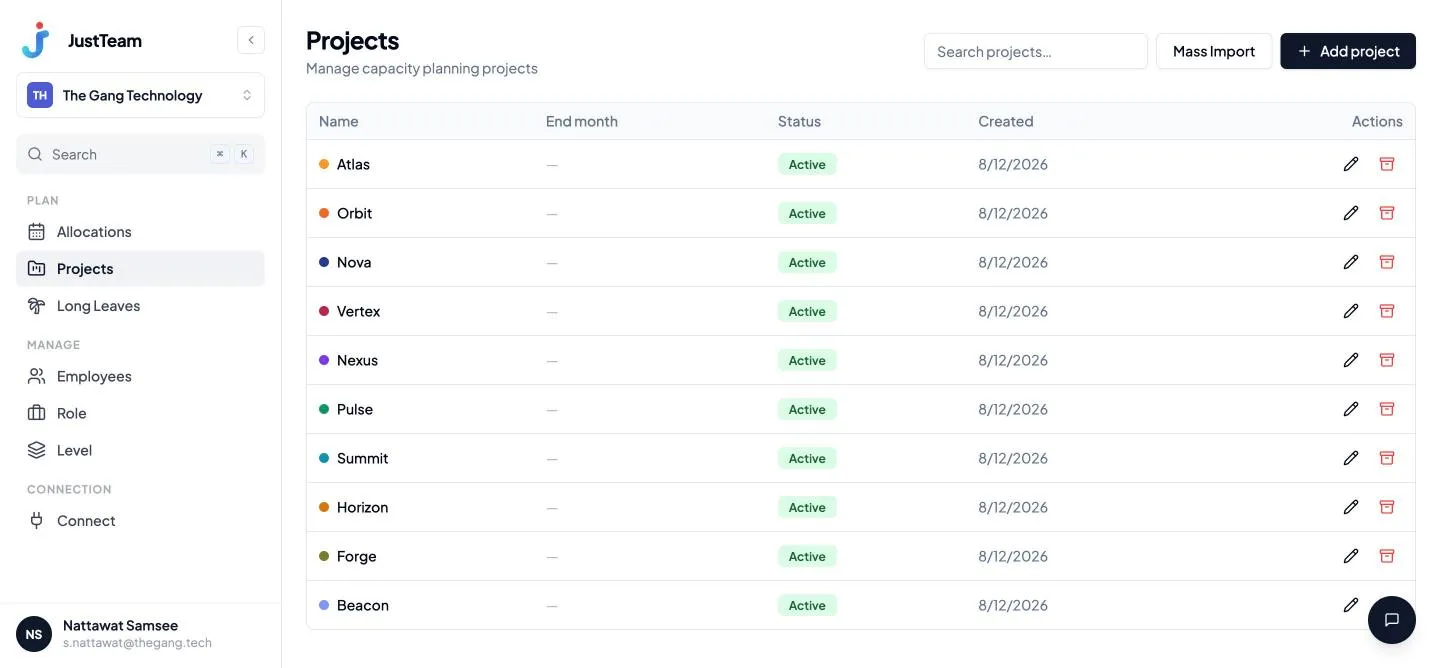
Projects and long leave
Create projects, set role-based access, and log long leave so the grid accounts for it.
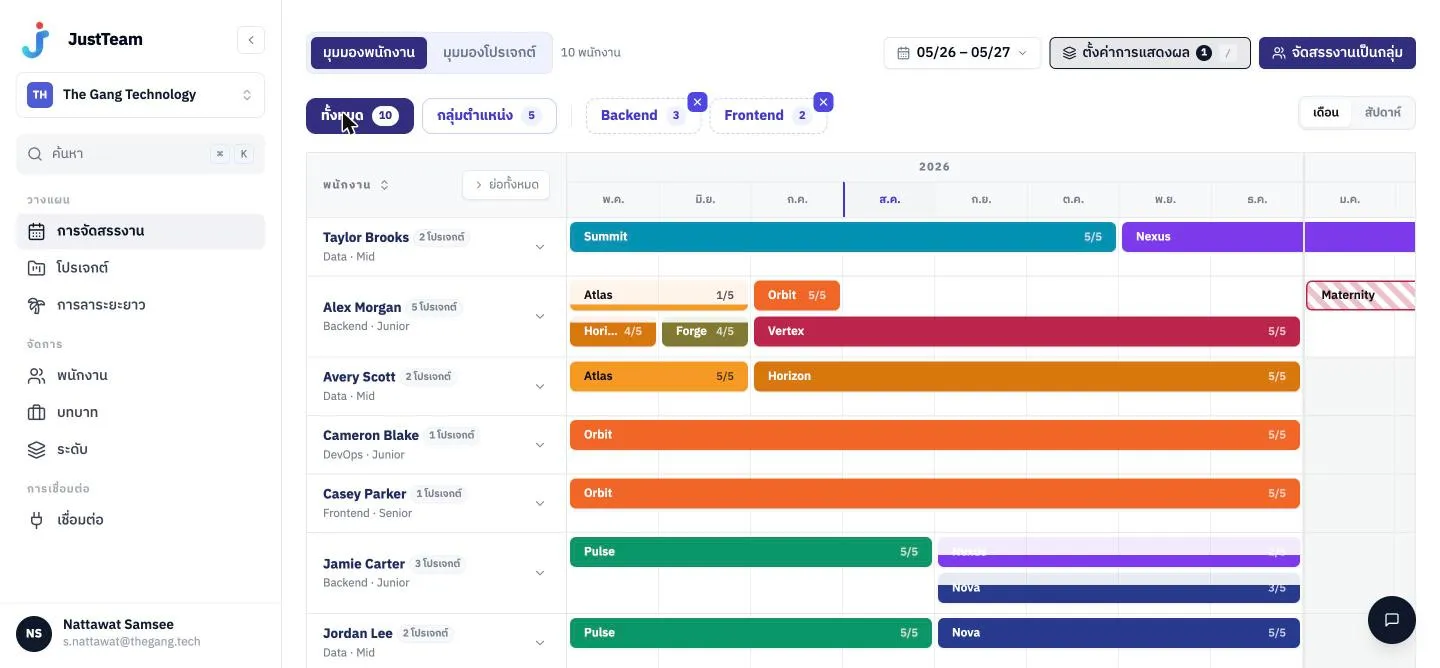
Thai and English across the app
Both languages from day one, not a translation bolted on later.
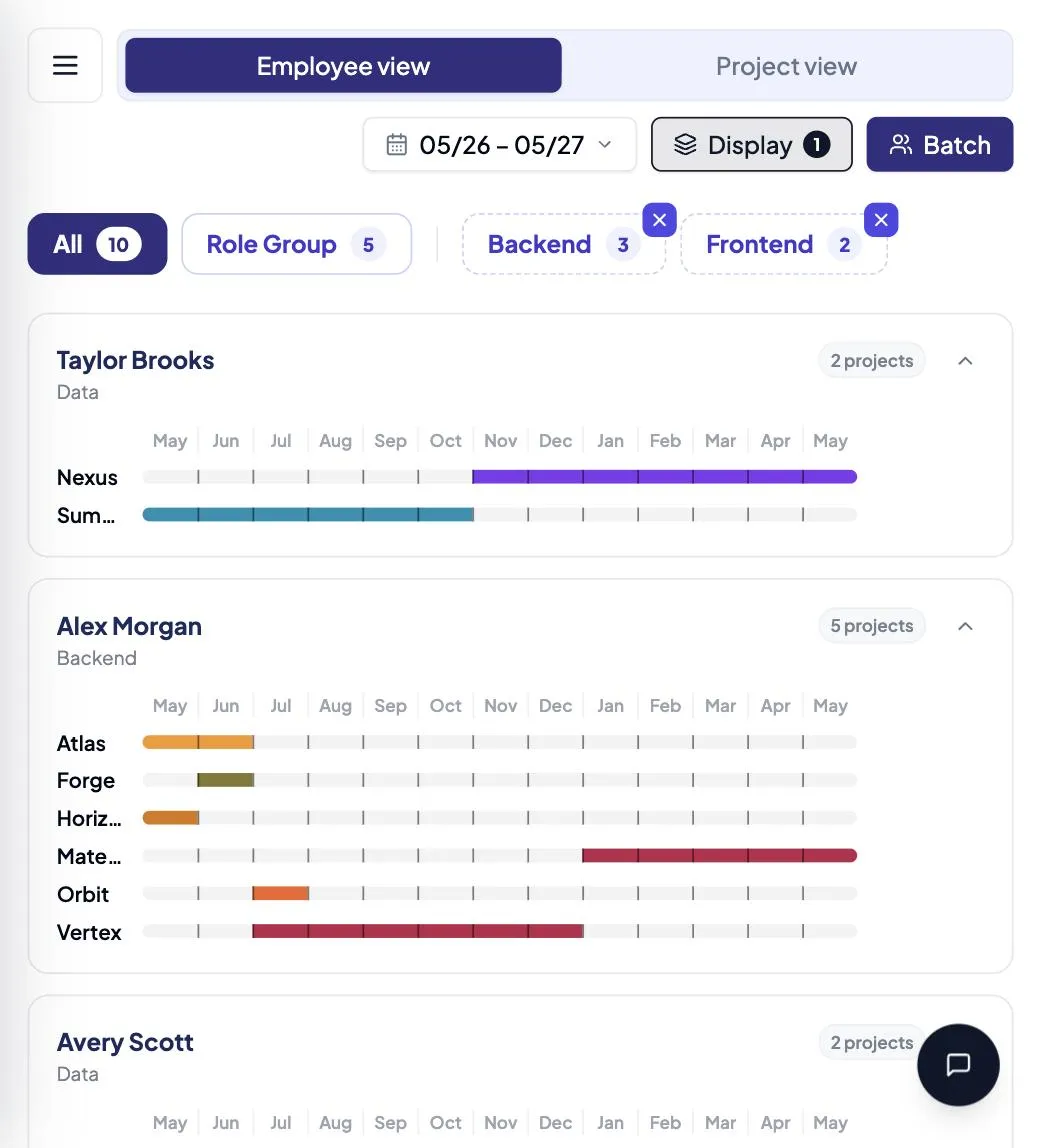
Works on a phone, for real
The grid folds into a card per person with a drawer menu, not a shrunken desktop page.
Pick the plan that fits your team
Free to use right now. No credit card.
Free
Free
Try it today, with no cap on team size.
- The allocation grid, drag to reassign
- Saved views, per person
- AI access over MCP
- Sign in with company SSO
- Coming soon
Starter
Coming soon
For teams planning every week who want the history kept.
- Everything in Free
- Import people and projects in one file
- Configure your own roles and levels
- Details still being decided
Opening soon
- Coming soon
Team
Coming soon
For orgs running several teams on separate sets of views.
- Everything in Starter
- Several orgs under one account
- Role-based access control
- Details still being decided
Opening soon
- Coming soon
Enterprise
Coming soon
For large orgs that need their own security posture and support.
- Everything in Team
- SSO and company security policy
- A dedicated support team
- Details still being decided
Opening soon
Free for the whole team
No price, no card. Sign in with your company SSO and bring the plan over from the spreadsheet.